Development
What Does It Take to Build a Website? The Comprehensive Guide
From planning to launch, every step you need to take to build a professional site.
By the BeeU studio10 min read

Website development is one of those projects where it's easiest to go wrong — not because the technology is hard, but because decisions made in the first two weeks dictate cost, performance, and maintainability for the next several years. A wrong platform choice, a designer who doesn't think mobile-first, or no SEO consideration from the start — all of these follow you for two or three years.
The web development market in 2026 has shifted significantly. SaaS website builders like Wix and Shopify have become the natural choice for small businesses, WordPress still dominates with 43% of the world's sites but is losing ground in new projects, and modern frameworks like Next.js and Astro lead custom builds. The choice is no longer 'which CMS,' but which architectural layer fits your business.
This guide is structured as a decision process, from initial business goals through deployment and maintenance. Each section covers a specific decision: domain, hosting, platform, design, development, SEO, security, and maintenance. Whether you're a business owner or a marketing manager, after reading this you'll be able to manage your provider with open eyes and not sign off on a project you don't understand.
Before You Start: Why Does the Site Exist?
The first question isn't technical, it's commercial. A brand site whose goal is credibility is fundamentally different from a brand site whose goal is lead generation. A blog for SEO is different from a blog for brand authenticity. An ecommerce store with 30 products is different from one with 30,000. Each of these goals dictates a different stack, different scope, and different timeline.
Practical exercise: write in 3 sentences what the site is meant to do. Then write the top 3 KPIs you'll measure success by (leads per month, sales, newsletter signups, phone calls, etc.). Then write the top 3 target audiences. If you can't put that on paper in 20 minutes, you're not ready to start the project — go back to the discovery phase.
Strategy before design, design before code. Business owners often jump straight into talks with developers without finishing strategy. The result: two redesigns after launch, because the goals weren't clear. Two weeks of planning saves you two months of post-launch rework.
Domain: The Name You'll Live With for 5 Years
The domain is the first digital asset of the business, and in most cases it'll outlive any specific website rebuild. Picking the name: as short as possible (12 characters is ideal), easy to spell, no hyphens if you can avoid them, and preferably the .com TLD for a global business. .ai has become trendy with startups but is historically weaker for long-term SEO than .com.
Notable domain registrars: Namecheap, Google Domains (now moved to Squarespace), Cloudflare Registrar (if it supports your TLD), Porkbun for a wider selection. Important: the domain registrar doesn't need to be the same as your host. Healthy separation — if you want to migrate hosting later, the domain stays put and isn't tied to your host.
WHOIS privacy, the service that hides your personal details from the public domain database, is non-negotiable. Cloudflare and Namecheap give it for free. Check that it's enabled before registration. Also verify the domain is registered in your name, not your provider's — cases of businesses losing their domain due to a soured vendor relationship are too common.
From WordPress to Next.js: How to Pick a Stack
The big technical decision is the stack. We're now in an era with three main categories: SaaS site builders (Wix, Squarespace, Shopify, Webflow), classic server-side CMS (WordPress, Joomla, Drupal), and modern headless frameworks (Next.js, Astro, Nuxt) that connect to a headless CMS like Sanity, Contentful, Strapi, or Payload.
WordPress fits when the scope is modest, content is frequently updated by a non-technical admin, and there's a need for a wide plugin ecosystem. It doesn't fit when the site needs to be very fast, very custom, or part of a modern app. WP Engine and headless WordPress patterns help, but the core is still PHP/MySQL logic.
Next.js is the right call when the site is part of a complex application, there's a serious dev team in place, or speed and user experience are critical (SaaS sites, digital products, large brand content sites). Development is more involved than a comparable WordPress build, but the long-term result is better-tuned. In the SMB world, Wix and Webflow ship 5x faster with the visual flexibility of modern apps.
UI/UX Design: Figma as the Standard and the New Schools
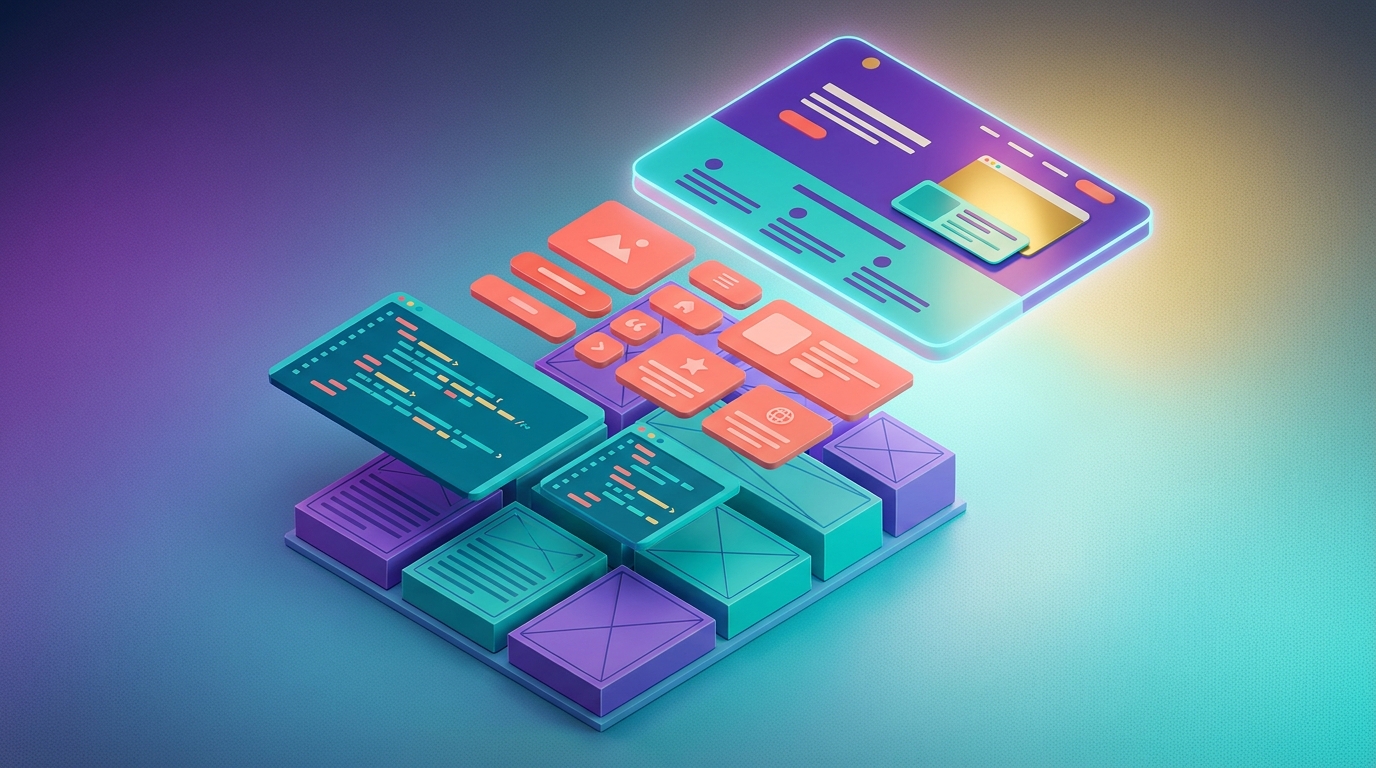
Figma is the de facto standard for website design in 2026. Every professional designer uses it, every studio expects to hand off Figma files to developers, and every serious build starts with a full Figma design before writing a line of code. Adobe XD has lost relevance, Sketch only stays relevant on Mac. Penpot is an interesting open-source alternative but still niche.
Design schools leading in 2026: neo-brutalism with vibrant backgrounds and heavy typography (seen at Vercel, Linear, Mercury), Bento Box layouts (popularized by Apple WWDC), AI-driven design (deeper integration into product UI), and softer glassmorphism. Avoid trends that'll feel dated in 12 months — focus on a design system that'll hold for 3-5 years.
A real design system, not just a Figma file of examples, is a documented component library with tokens (colors, spacing, typography), variants for every state (default, hover, disabled, error), and direct links to code (Storybook, Tailwind config, MUI theme). That's the difference between a site that maintains well and one that breaks on every small change.
Mobile First: Not a Trend, a Physical Reality
Over 60% of global web traffic comes from mobile devices in 2026. Google moved to Mobile-First Indexing back in 2019, meaning the ranking algorithm checks the mobile version first and only then the desktop. A site designed first for desktop and then adapted to mobile is a site losing most of its audience and most of its Google ranking.
Mobile-first in practice: start the design in a Figma frame at 375px wide (iPhone 13 mini), make sure every element looks good on the small screen, and only then scale up to tablet and desktop. Touch target sizes: at least 44x44 pixels per button (Apple standard). Text size: at least 16px for body text, anything less forces manual zoom.
Mobile performance matters more than desktop performance. 4G and 5G networks are reliable in urban areas, but step outside the metro and the network gets uneven. A 500KB JavaScript bundle can add 3-5 seconds of load time on a weak network. Stick to code splitting, lazy loading, and use Next.js Image or equivalents for image optimization.
Content: Why Lorem Ipsum Kills Projects
One of the most common failures in web development: starting design with Lorem Ipsum, approving the mockups, starting development, and then the day before launch realizing the real content is twice as long as the space allocated to it. The fix isn't technical, it's organizational. Primary content (home, about, services) must be finalized before design wraps.
Writing content for the web is a profession. UX writing is needed for buttons, error messages, loading states, FAQs. SEO copywriting is needed for service pages and blog posts. Brand voice should be consistent across all pages. If you don't have an in-house copywriter, ask the agency to include the content phase in the SOW, or hire an external copywriter separately.
Multi-language content adds another layer. RTL layouts (Hebrew, Arabic) make aesthetic typesetting harder, numbers stay LTR (visual breaks in text), and paragraph flow differs. A designer who hasn't worked with RTL before will usually produce a mockup that looks great in English and falls apart elsewhere. Check RTL examples in the agency's portfolio.
Technical SEO from the Start: Built Into the Code
SEO optimization doesn't start after the site launches, it starts in the architecture. Clean URL structure (/services/web-development instead of /page?id=42), dynamic meta tags (different title and description per page), Open Graph for social sharing, Schema.org markup for rich results in Google (FAQ, Product, Article, Organization).
Core Web Vitals: LCP under 2.5 seconds, INP under 200ms, CLS under 0.1. These metrics feed directly into Google's ranking algorithm. They're measured from actual users (Field data in CrUX), not just lab data. A site with high CLS (content jumping during load) will drop in rankings even if the content is great.
Sitemap.xml and robots.txt have to be correct from day one. Submit in Google Search Console within 48 hours of launch. Configure hreflang if the site is multilingual. Internal linking structured — every page should be reachable in 3 clicks or less from home. Breadcrumbs on every page deeper than 2 levels.
Security: Not Just SSL
SSL/TLS is table stakes in 2026 — Google Chrome flags sites without HTTPS as 'Not Secure'. But that's just one layer. Most breaches of small business sites aren't via SSL failures, but via outdated plugins, weak passwords, and SQL injection on unvalidated forms. SSL without the rest is like an armored door on a house with an open window.
Security headers: Content-Security-Policy (CSP) restricting which domains can load resources, X-Frame-Options preventing clickjacking, Strict-Transport-Security enforcing HTTPS even on future visits. All defined in config files (nginx.conf, web.config) or through provider settings (Cloudflare, Vercel).
Passwords and access: every admin user with mandatory 2FA, avoid the 'admin' username, enable rate limiting on login pages, restrict /wp-admin access from non-business IPs. Small businesses tend to share a single admin account between several people — that's an insecure pattern. Create separate accounts with appropriate permissions.
Forms, Analytics, and CRM: The Lead Infrastructure
A brand site that doesn't know who filled the form, from which page, what caused the conversion, is a blind site. Tracking infrastructure is part of development, not an add-on. Google Analytics 4 as the default for basic analytics. Plausible or Fathom as privacy-friendly alternatives that simplify cookie consent.
Tag Manager lets you update event tracking without asking the developer to push changes. Define conversion events (form_submit, button_click, video_play) from day one. Conversion tracking in Google Ads and Meta Pixel needs to be installed, verified, and using UTM tracking built into campaigns.
Forms: keep it simple, only the fields you actually need. Email and name are enough for most cases — every extra field drops conversion 5-10%. Push the lead to a CRM automatically (HubSpot, Pipedrive, Salesforce), and send a confirmation to the user immediately. Leads that sit in one person's inbox without tagging or follow-up are lost.
Deployment and CI/CD: What It Means and Why It Matters
Manual deployment — copying files via FTP after a change — is outdated and causes bugs. In 2026, even small projects should run with basic CI/CD: every push to a Git branch triggers automated checks, and based on the configuration, automatic deployment to staging or production. Vercel, Netlify, and Cloudflare Pages do this with one click.
Separated environments: development (local on the dev's machine), staging (a test environment accessible to the team), production (the live site). Every change moves through all three before reaching customers. Staging should be hidden in robots.txt or require auth — you don't want Google indexing the test version.
Rollback: the ability to revert to a previous version within minutes if something breaks. On Vercel and Netlify there's a 'Promote to Production' button that restores a previous deployment. On WordPress, via plugins like WP Stagecoach or VersionPress. Having a fast rollback process saves you critical minutes after launch.

Maintenance: What Happens After Launch
Launching a site is day 1 of a journey, not the end. A site without ongoing maintenance starts to degrade within 3-6 months: outdated plugins create security holes, content gets stale and SEO drops, performance erodes due to unfocused additions, and broken links accumulate. Maintenance planning must be part of the project plan from the start.
A standard maintenance package covers: monthly security patches, daily backups stored off-server, uptime monitoring with automated alerts, monthly broken-link check, monthly Search Console review for crawl errors, and light content updates. The exact scope depends on the site's size and complexity.
Periodic analytics, not just 'looking at the numbers,' but a structured process: monthly KPI report, month-over-month and year-over-year comparison, identification of pages that dropped or grew. Reporting tools like Looker Studio (formerly Data Studio) let business owners get a structured monthly report without digging manually in GA4.
What Shapes the Scope of a Website Project
Scope is driven by what the site needs to do. A small brand site (5-10 pages, no ecommerce, on WordPress or Wix) is the lightest build. A custom brand site (15-30 pages, custom design, basic SEO) adds design and content work. A site with custom functionality (customer portal, booking management, integrations) adds development and testing. Ecommerce with 50-500 products depends heavily on the platform and the catalog.
A modern web application (Next.js, complex integrations, headless CMS) is the most extensive category. Beyond features, the main factors are content readiness, the number of integrations, the timeline, and the experience of the team doing the work.
Planning recommendation: finish design and content before starting code, and leave room for post-launch changes (there are always some). Make sure the contract includes at least 30 days of bug fixes after launch. Starting a new site? Contact us and we'll help you define the right scope.
Summary: Pre-Launch Checklist
Before the site goes live, run through this checklist: SSL installed and working on every page. All internal links work. All forms send to CRM and email. Google Analytics and Search Console installed and verified. sitemap.xml and robots.txt configured. Mobile performance in PageSpeed Insights above 70. All images optimized (WebP, lazy loading).
Every page has a tailored title and meta description. Content checked on mobile and desktop. Cross-browser testing on Chrome, Safari, Firefox, Edge. Cookie consent banner where required (GDPR, CCPA). Custom 404 page. Initial backup saved. End-user documentation (how to edit content, add blog posts).
After the site goes live, the growth phase begins: continuous SEO (results-based optimization), gradual paid advertising, monthly content production, and link building. A great site that isn't maintained, fails. A mediocre site that's properly maintained, works. That distinction is usually more important than the initial development quality.